
Individual adventurers can be added as a Followed Player or blocked. You can view the login status and equipment of adventurers added as Followed Players, and you can invite them to a party to battle together as well.
Access Method
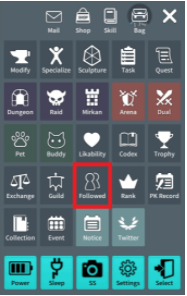
Access by tapping the “Followed Player” icon at the top-right menu of the main screen.
Adding Followed Players
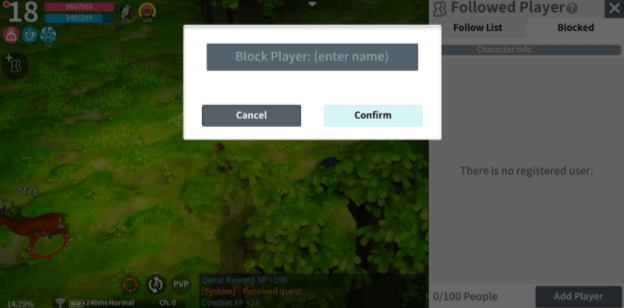
To add someone as a Followed Player, go to “Search User” and enter the name of the desired character.
Once you have finished adding a Followed Player, the character’s name, job, level, and login status will be shown. Pressing the “Block” or “Delete” button will only remove the Followed Player from the list. In the case of “Block”, they will also be added to the Blocked list. Blocked players cannot be added as a Followed Player.
Interaction
You can interact with players depending on the Interest status, such as viewing their equipment info or inviting them to a Party.
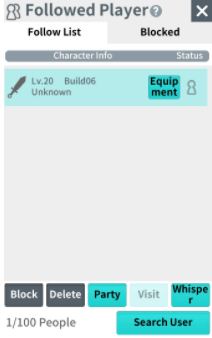
If only one person has registered another as a Followed Player, the Interest Status is shown as 1. If both parties have registered each other as Followed Players, then it is shown as 2.
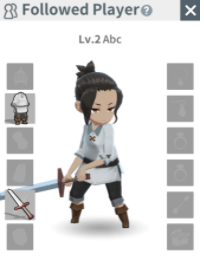
If you are each other’s Followed Player, you can tap them and press the “Equipment” button to view each other’s equipped equipment info.
If you are each other’s Followed Player, you can view the region the other person is currently active in.
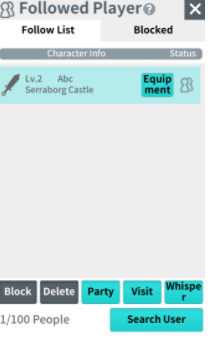
Even if you are not mutual Followed Players, you can invite Followed Players to a party or send them a Whisper.
Players who have received invites can decline Party Invites. Party Invites and Whispers cannot be sent to players who are not logged in.
Blocked List Management
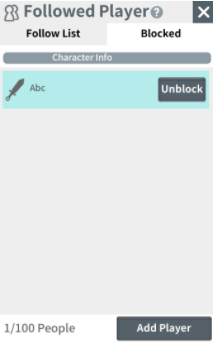
Like for Followed Players, you can enter the name of a character to add them as a Blocked player.
Blocked players cannot add you as a Followed Player, to a Party, or send you a Whisper. You can tap the “Unblock” button to unblock them any time.
Add hthgaming.com as a preferred source on Google