
System
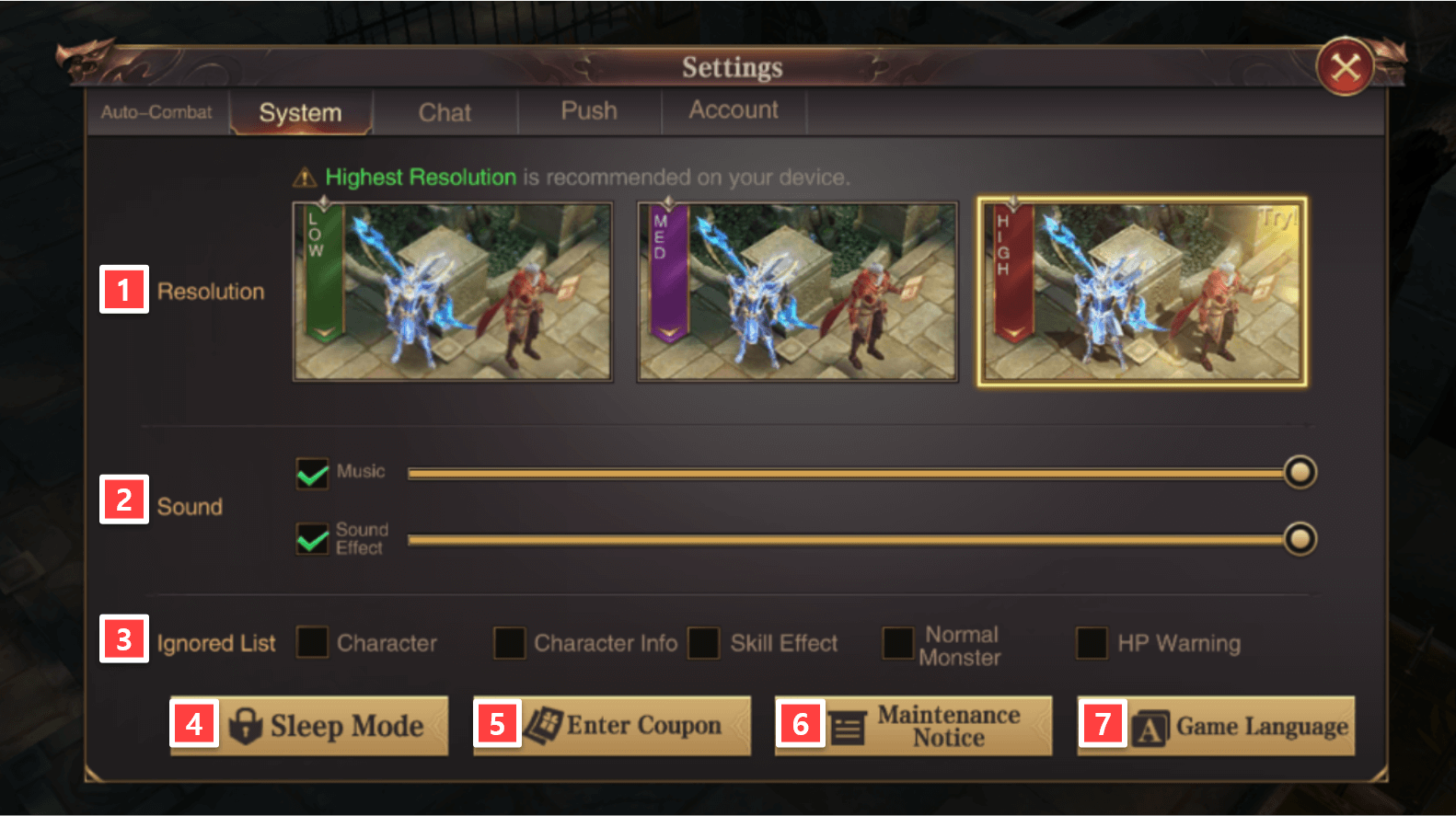
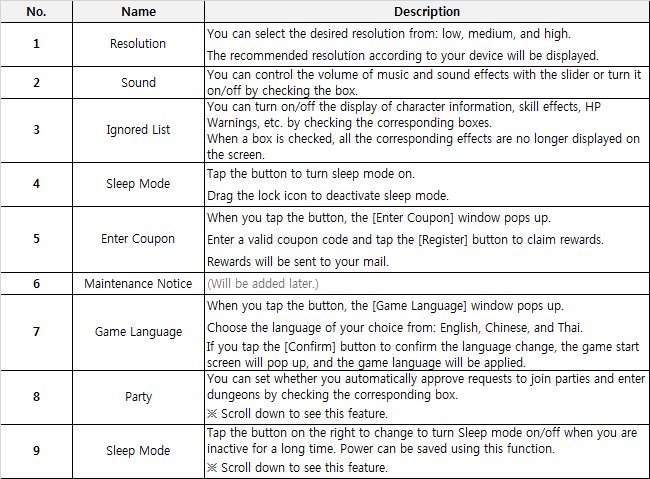
Want to enjoy MU Archangel with better resolution and awesome music?
Want to claim rewards by using coupons? Please proceed to the System menu.
Auto-Combat
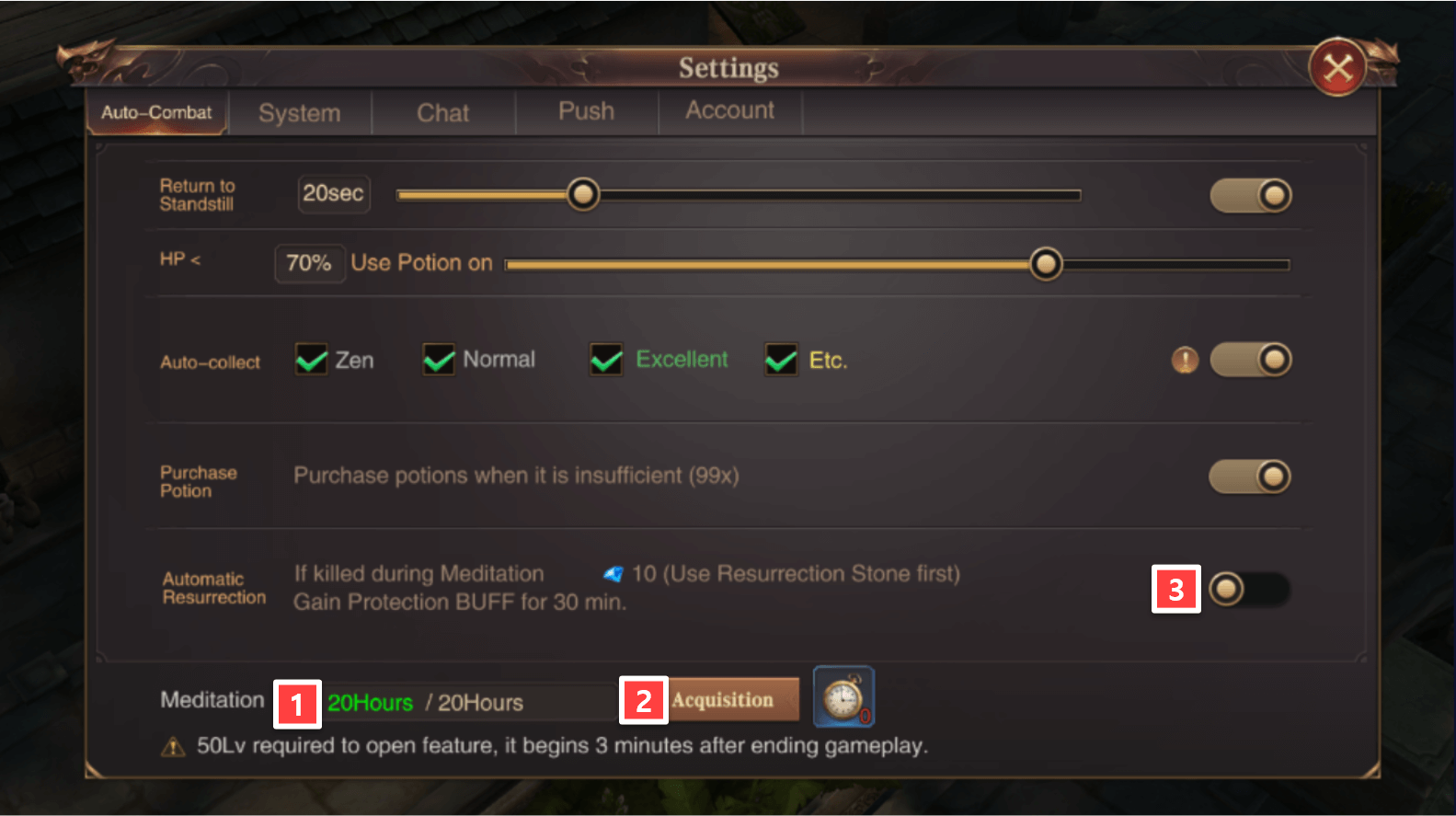
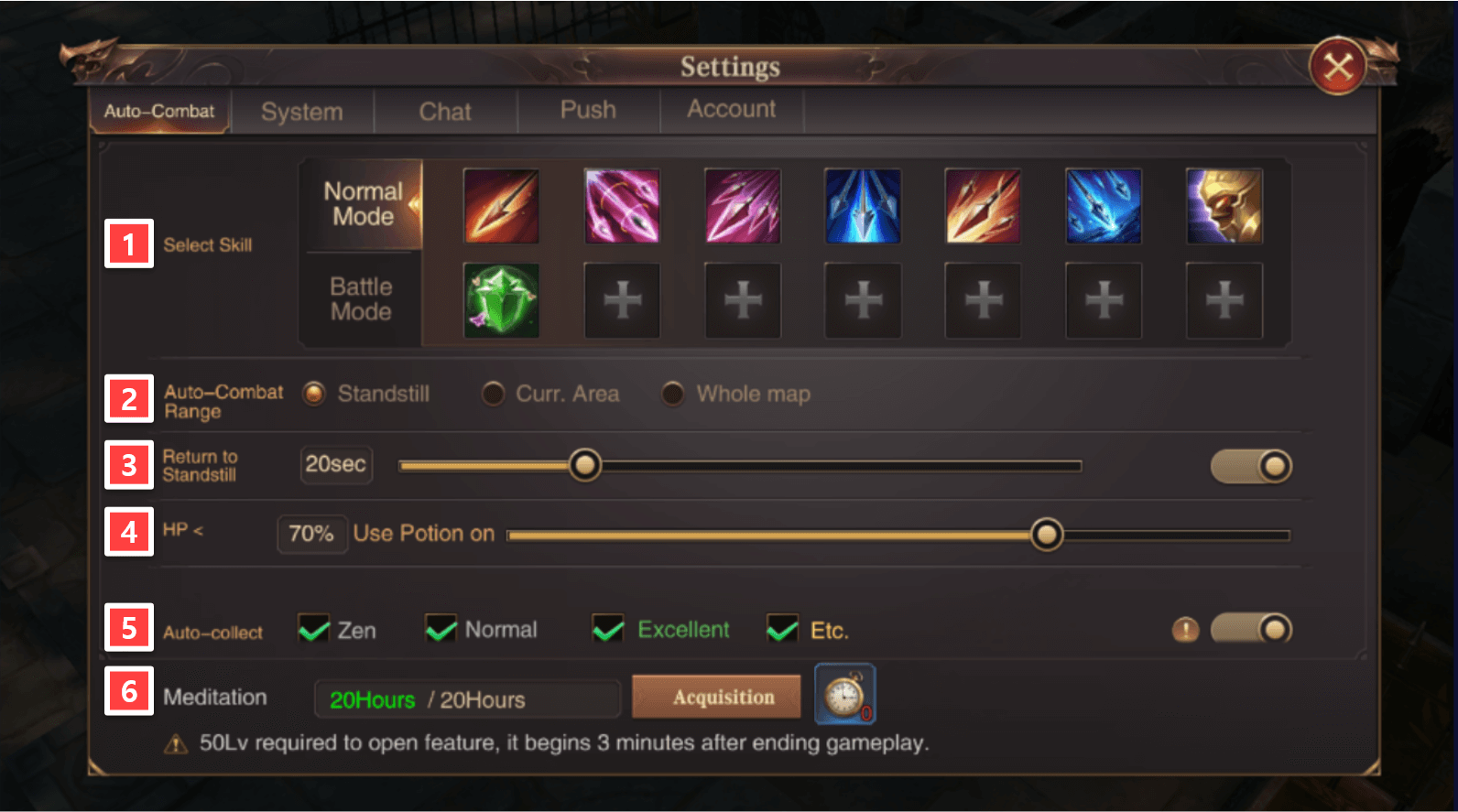
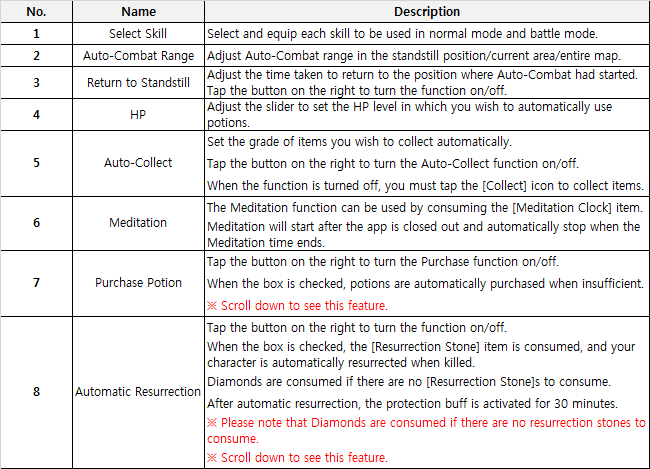
Adjust various settings such as skills, auto-combat range, and potion use to suit your play style.
Chat
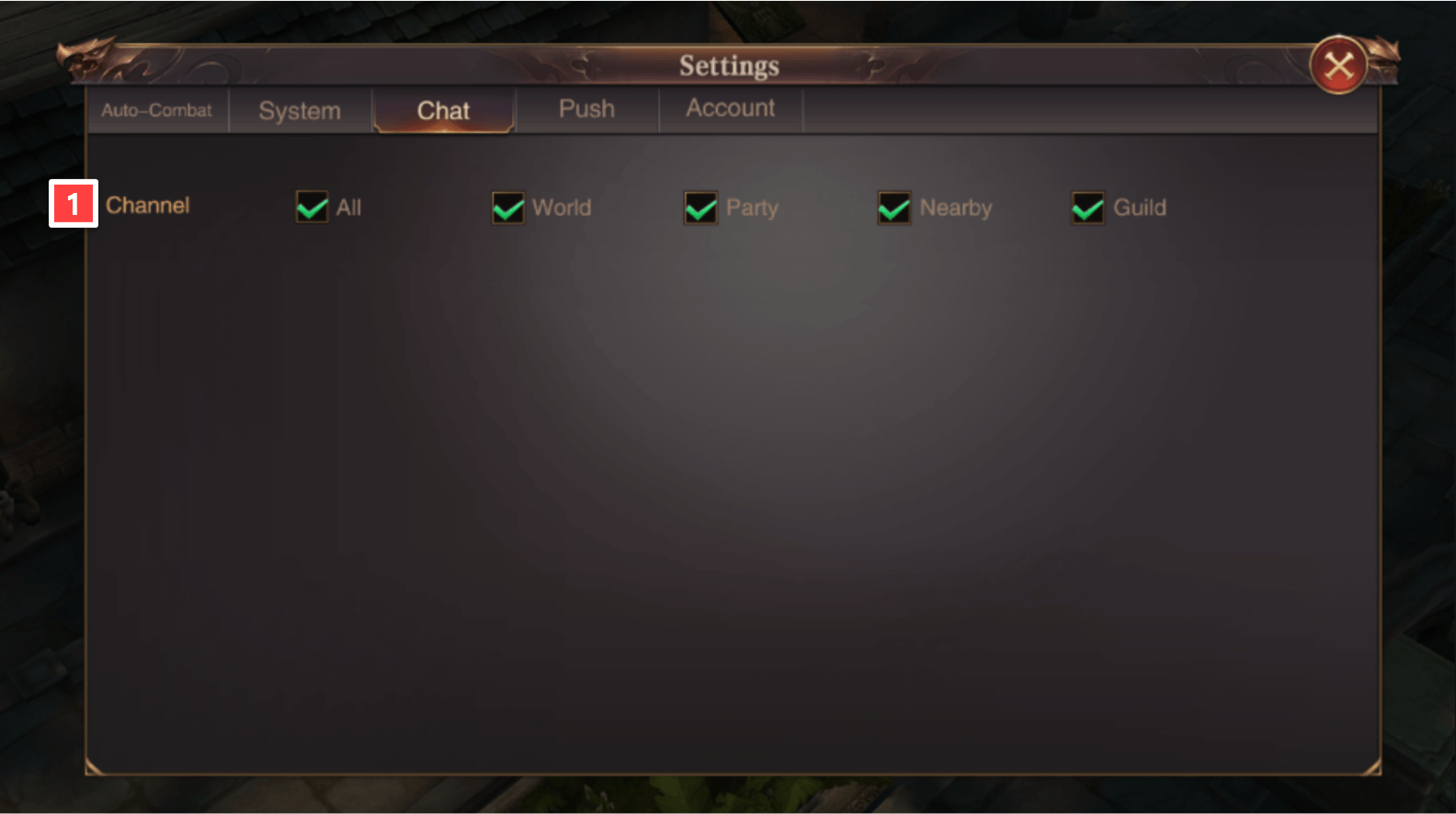
Want to focus more on chatting with guild members?
If so, please proceed to the Settings -> Chat menu.
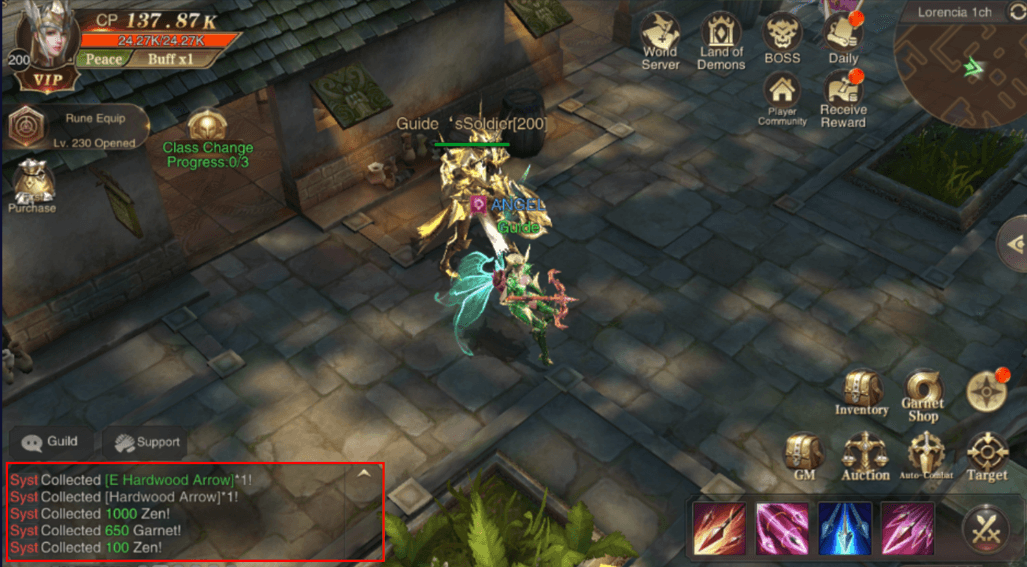
You can move to another channel tab by scrolling the chat window at the bottom left corner of the game screen to the right/left.
You can manage the channel tab in the Chat menu in Settings -> Chat.

Push
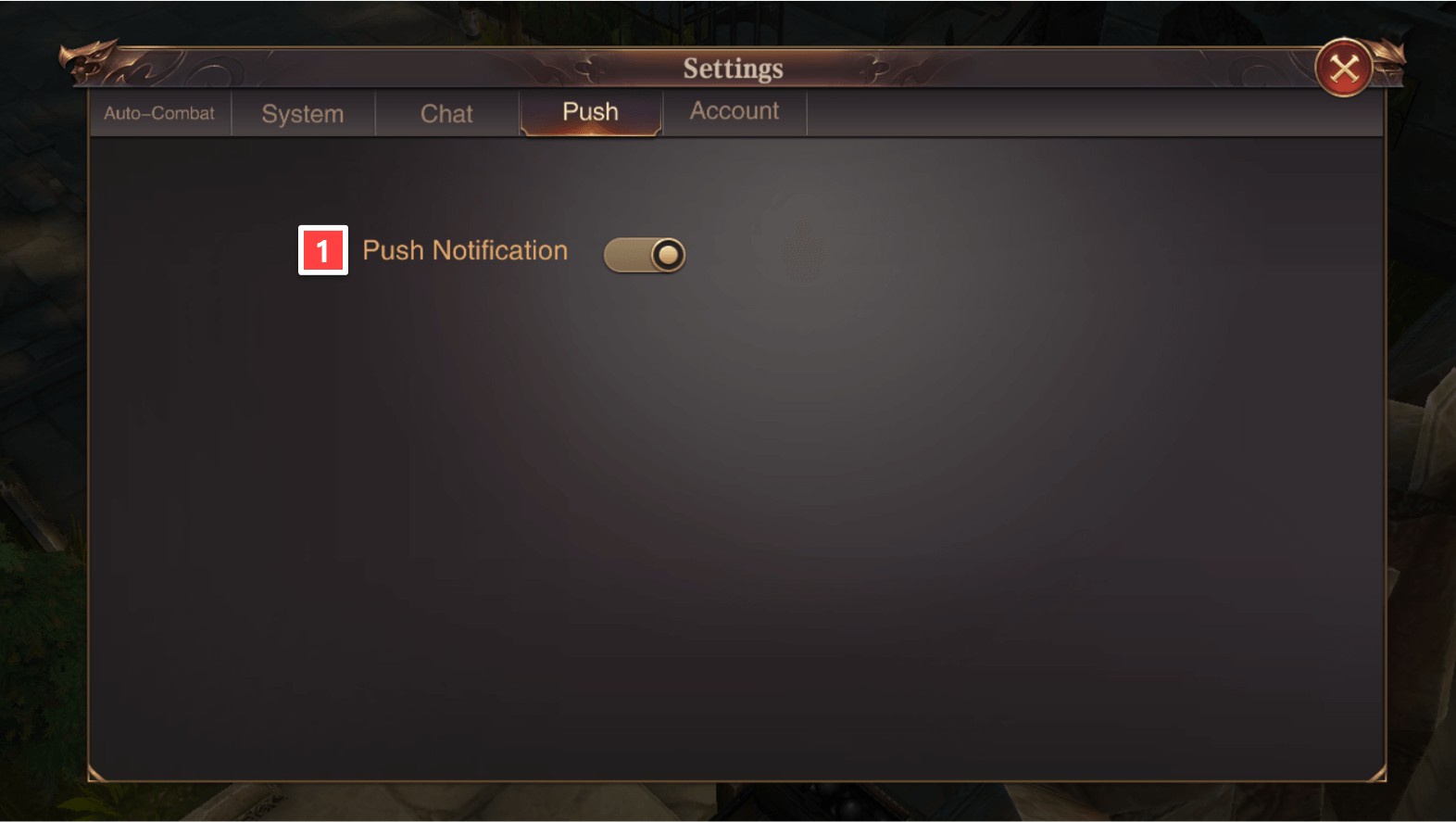
We will inform you of the numerous Login Rewards provided every day!
If you have not received any notices yet, you can agree to receive push notifications in the Settings -> Notifications menu. Try it!

Account
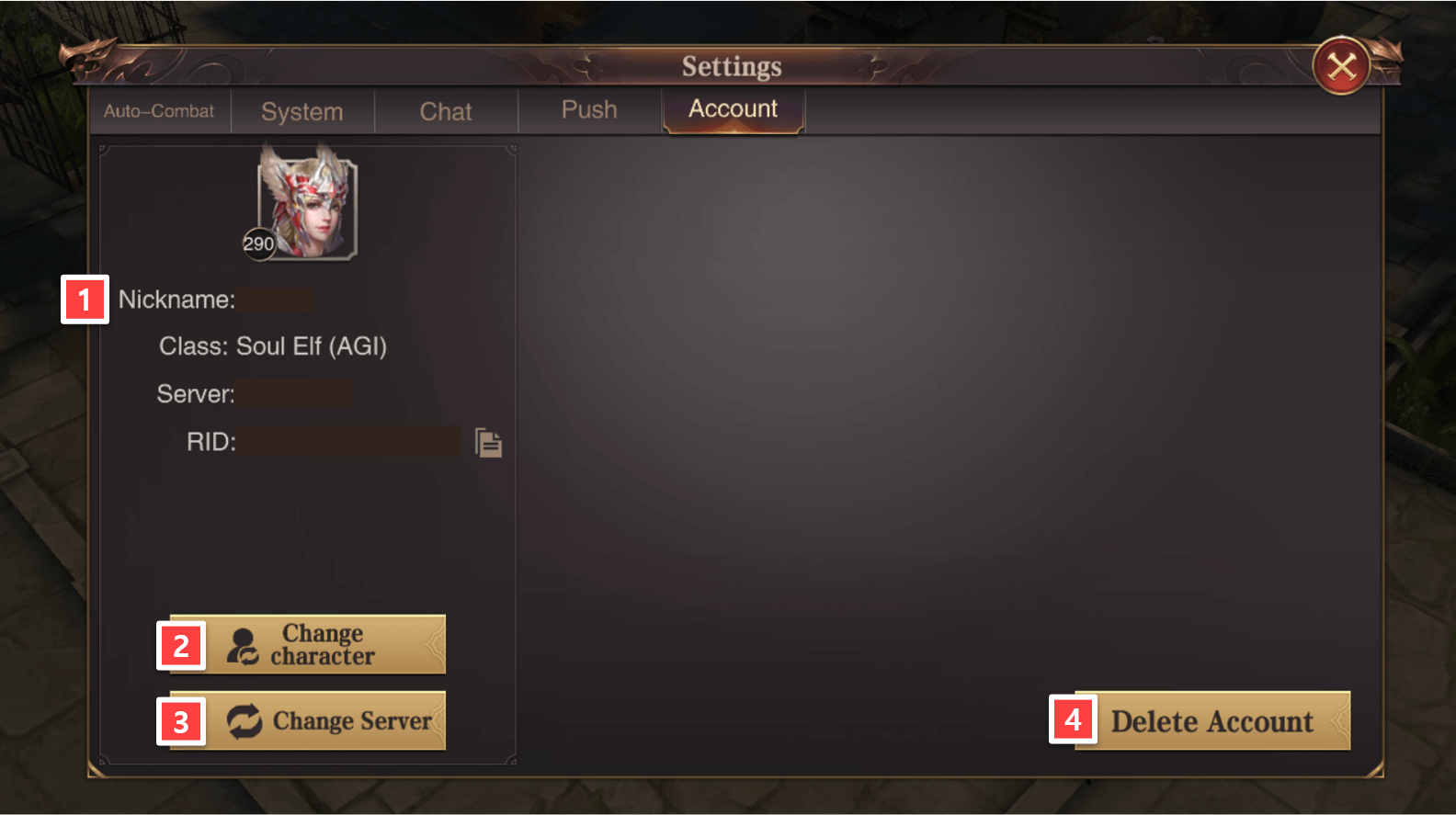
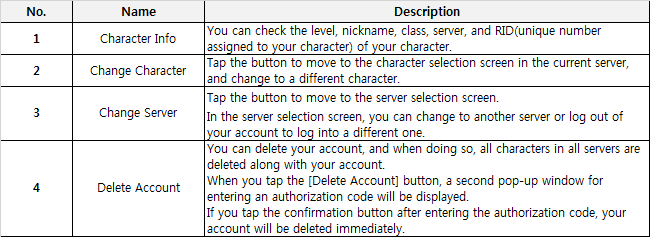
If you want to check on your characters on other servers or confirm which server your character is in, please proceed to Settings -> Account.
You can change the server you are in and check your character’s information.
Characters and accounts that have been deleted CANNOT be recovered or restored.
Meditation
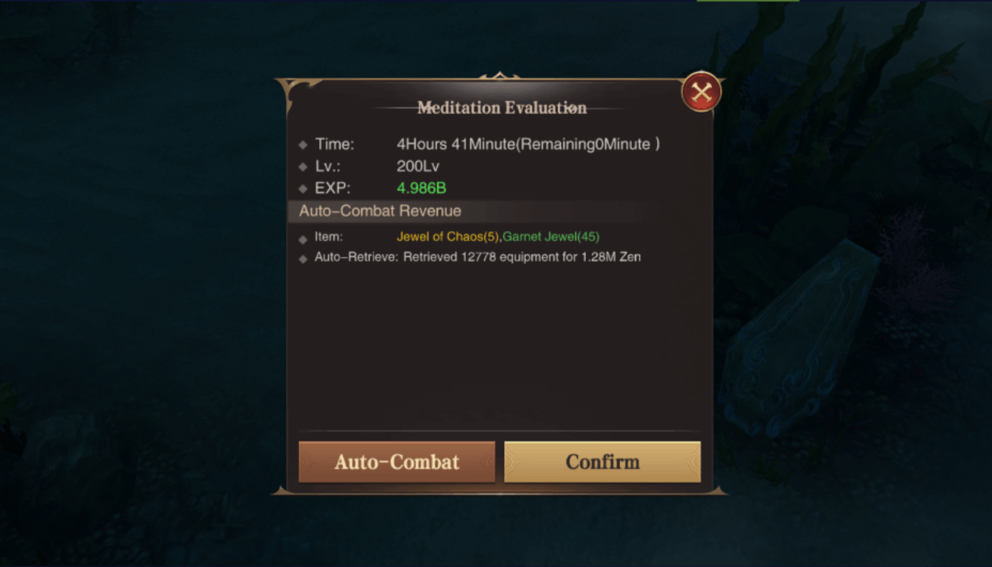
A core content of MU Archangel that allows you to obtain EXP as well as other items and goods even when you are offline!
Try Mediation!
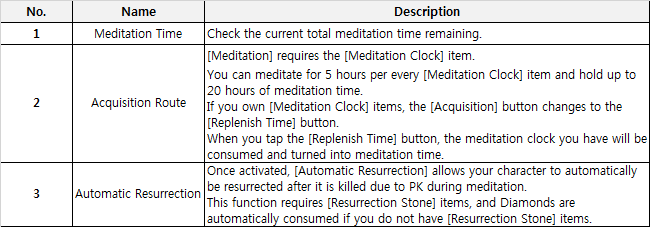
Meditation can be set through Settings -> Auto-Combat at the bottom right corner of the screen.
Meditation unlocks upon reaching Lv. 50.
Once unlocked, Auto-Combat starts 3 minutes after a character is logged out and offline.