Heartopia is a free-to-play mobile life simulation video game developed by XD. Released in January 2026, the game is described by its developers as a “slow life sim” focused on casual, relaxing gameplay. The game is available on PC via TapTap, as well as on Android and iOS mobile devices.
Heartopia codes
The following codes can be redeemed in Heartopia right now in exchange for rewards:
- heartopia10m: Wishing Star x10
- lifewithline: Wishing Star x10
- happy2026: Moonlight Crystals x10, Gold x8,888
- k7m9q2a8l5: Wishing Star x5, Mermaid Fish Attractor x3, Fertilizer x10
- true5mthks: Chef’s Special Salad x2, Quality Timber x10, Branches x20
- heartopia5m: Wishing Star x10
- top1thanks: Wishing Star x5, Mermaid Perfume x2, Mandarin x10
- r4a8x2n: Wishing Star x5, Growth Booster x10, Orange x10
- b8n2k5l: Flawless Flourite x2, Rare Timber x6, Stone x10
- dcthx4u: Wishing Star x10
- m7r9q4a: Mermaid Perfume x2, Gold x10K, Egg x10
- x2l8k6p: Wishing Star x5, Fertilizer x10, Apple x10
- h9q3a7m5: Roaming Oak Timber x2, Milk x10, Timber x10
- z4p6n8r2: Quality Timber x10, 2-Star Chef’s Special Salad x2, Branch x20
- a7k9m2q8l: Wishing Star x5, Repair Kit x3, Blueberries x10
- letsparty: Wishing Star x15, Gold x5K, Repair Kit x3
- letsdressup: Wishing Star x15, Gold x5K, Growth Booster x10
- letsbuild: Wishing Star x15, Gold x5K, Fertilizer x10
- heartopia0108: Moonlight Crystals x100
- mylittlepony: Moonlight Crystals x100
- specialgift0103: Moonlight Crystals x100
How to redeem codes in Heartopia
The code redemption system in Heartopia is accessible immediately upon starting the game, without requiring completion of initial quests or tutorials. Players can redeem promotional codes through the following procedure:
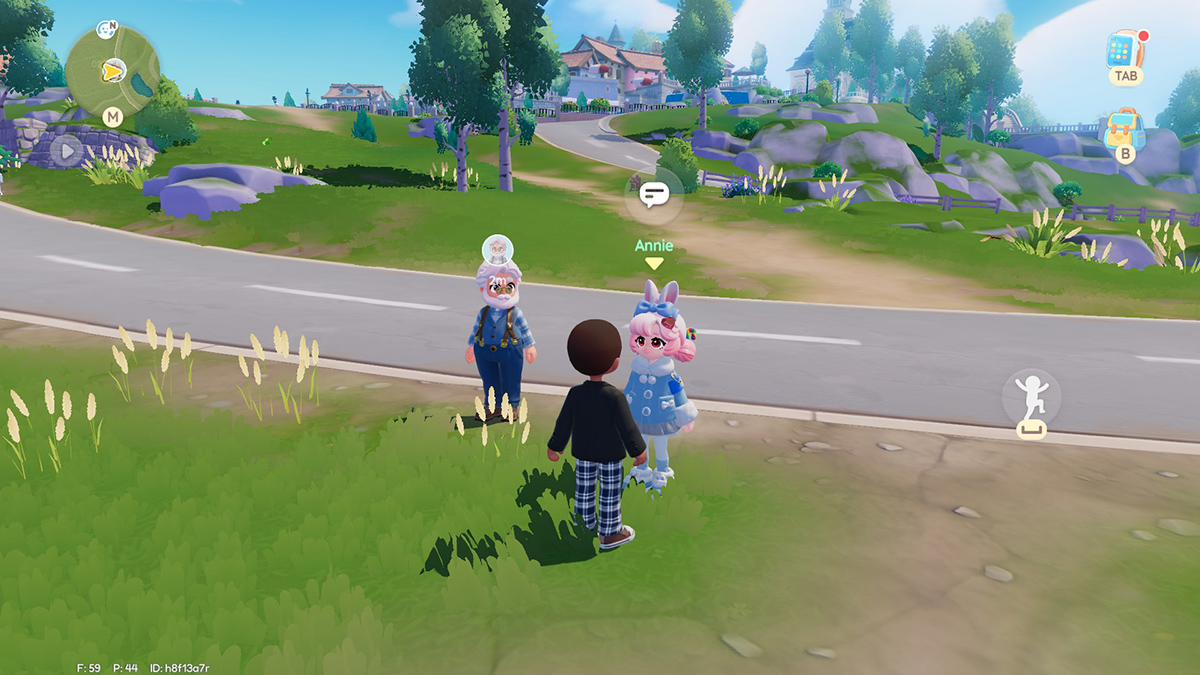
Step 1: Access the Watch interface by pressing the TAB key on PC or tapping the smartphone icon located in the upper right-hand corner of the screen. The Watch serves as the primary menu system for accessing various in-game functions.
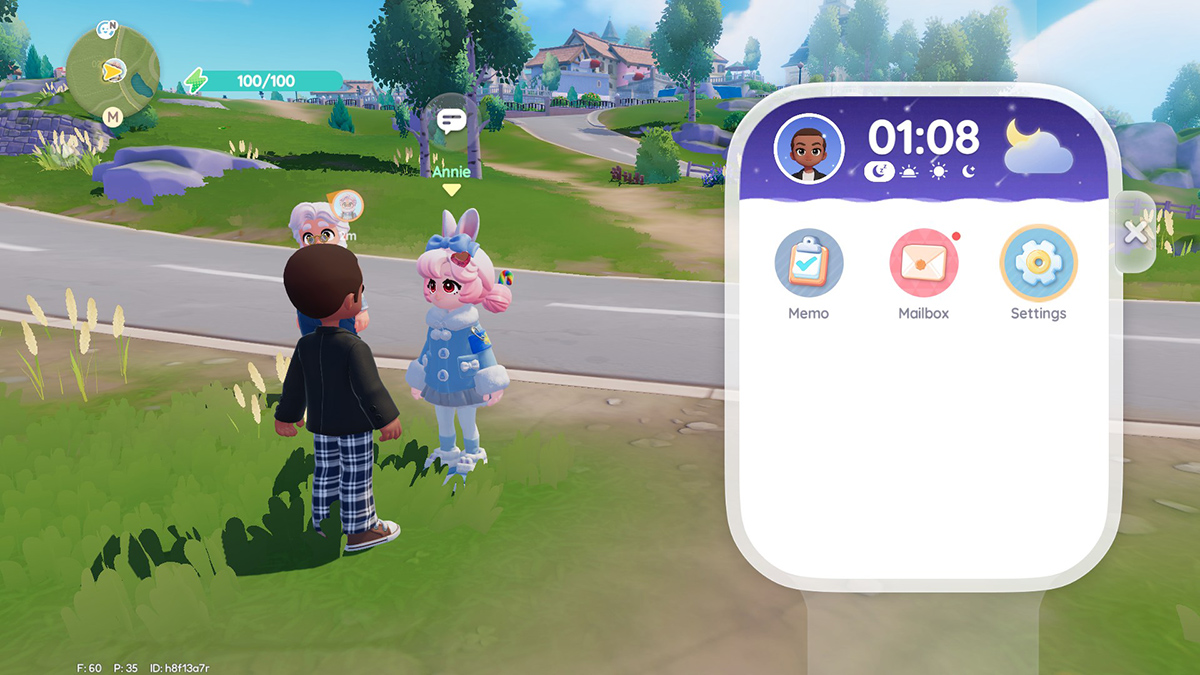
Step 2: Navigate to the Settings menu by selecting the gear icon. This icon appears as the final item in the list of available in-game applications and may require scrolling to locate.
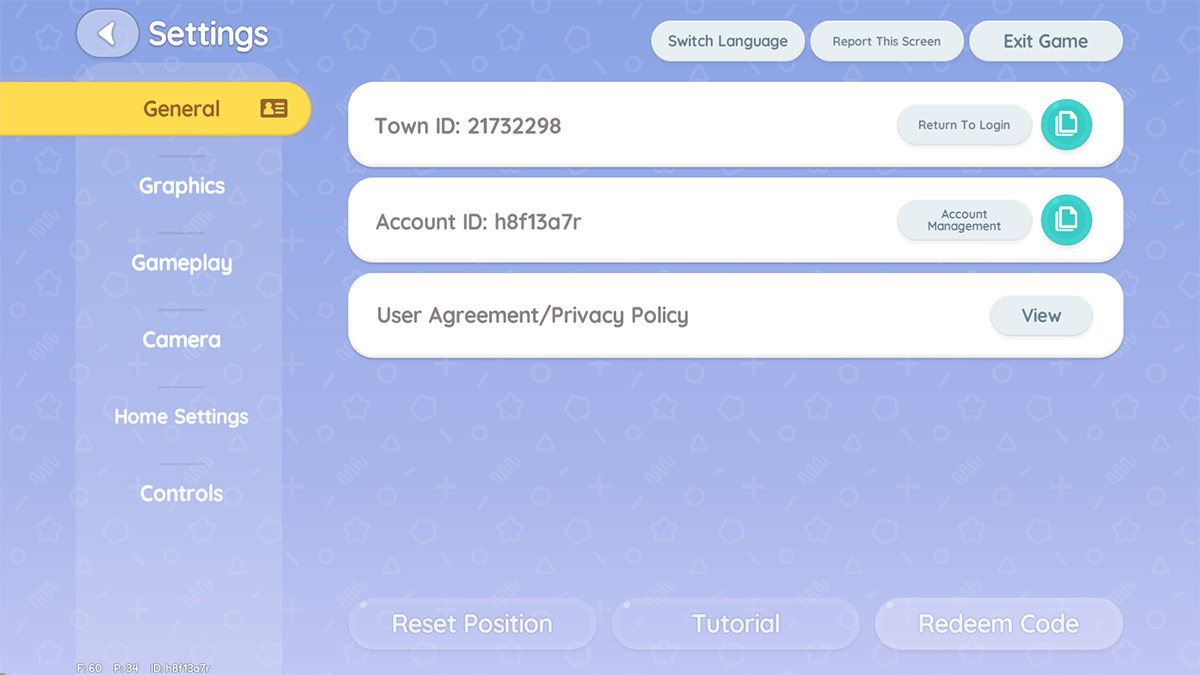
Step 3: Select the “Redeem Code” button positioned at the bottom of the Settings menu.
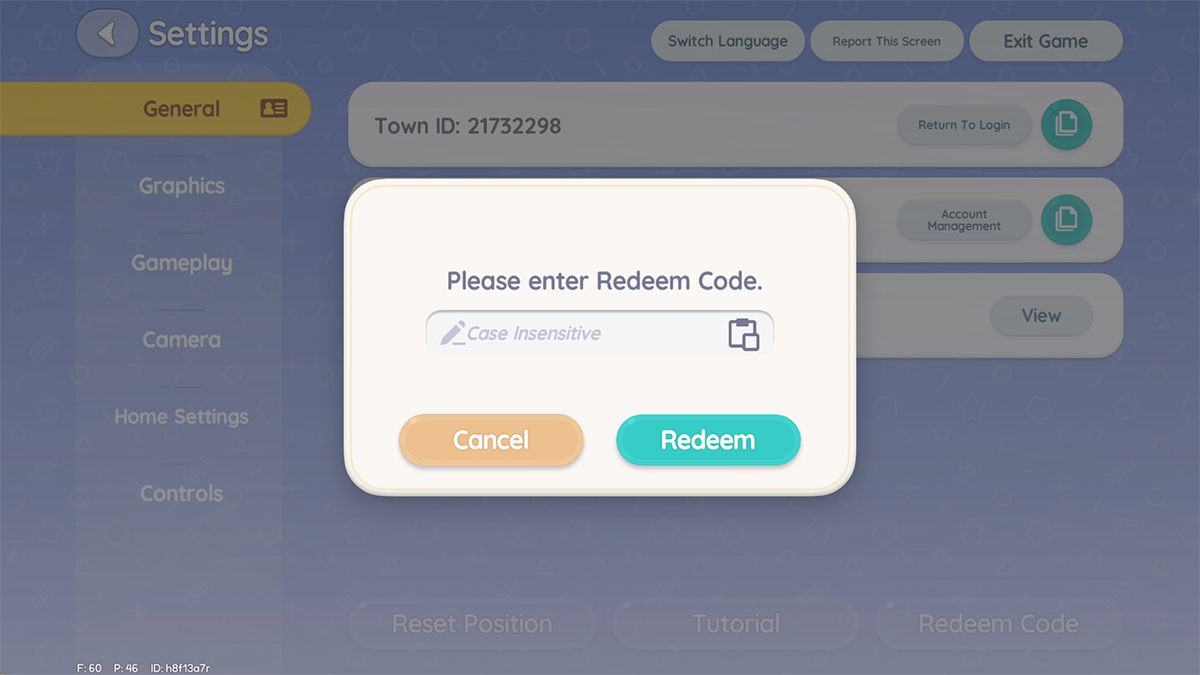
Step 4: Enter the promotional code into the provided text box and press the “Redeem” button to claim the associated rewards.