
Login Screen
THE ARCHANGEL CALLS UPON YOU ONCE MORE.
Hello Warriors, Welcome to MU Archangel!
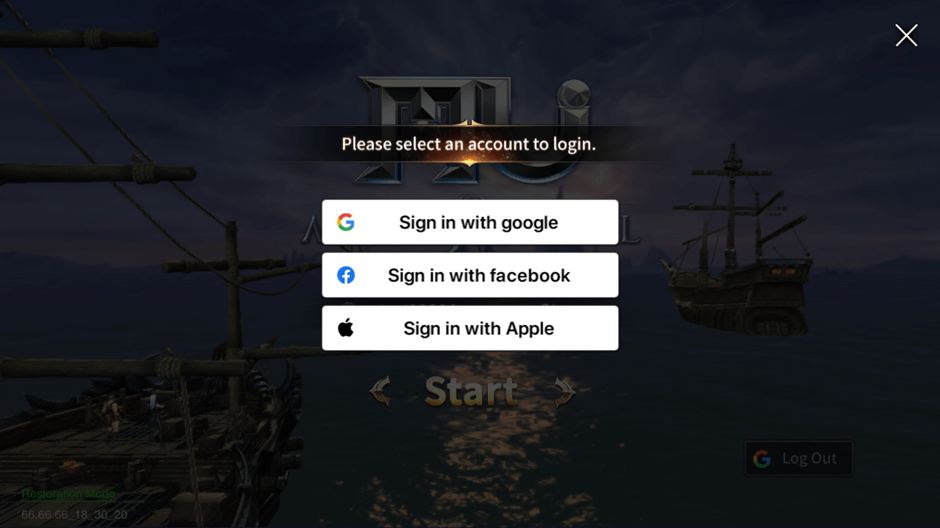
For Android users, MU Archangel offers 3 different login methods: Google, Facebook, and Apple.
For iOS users, MU Archangel offers 4 different login methods: Google, Facebook, Apple and Guest login.
Please select a preferred login method and enter the MU world.
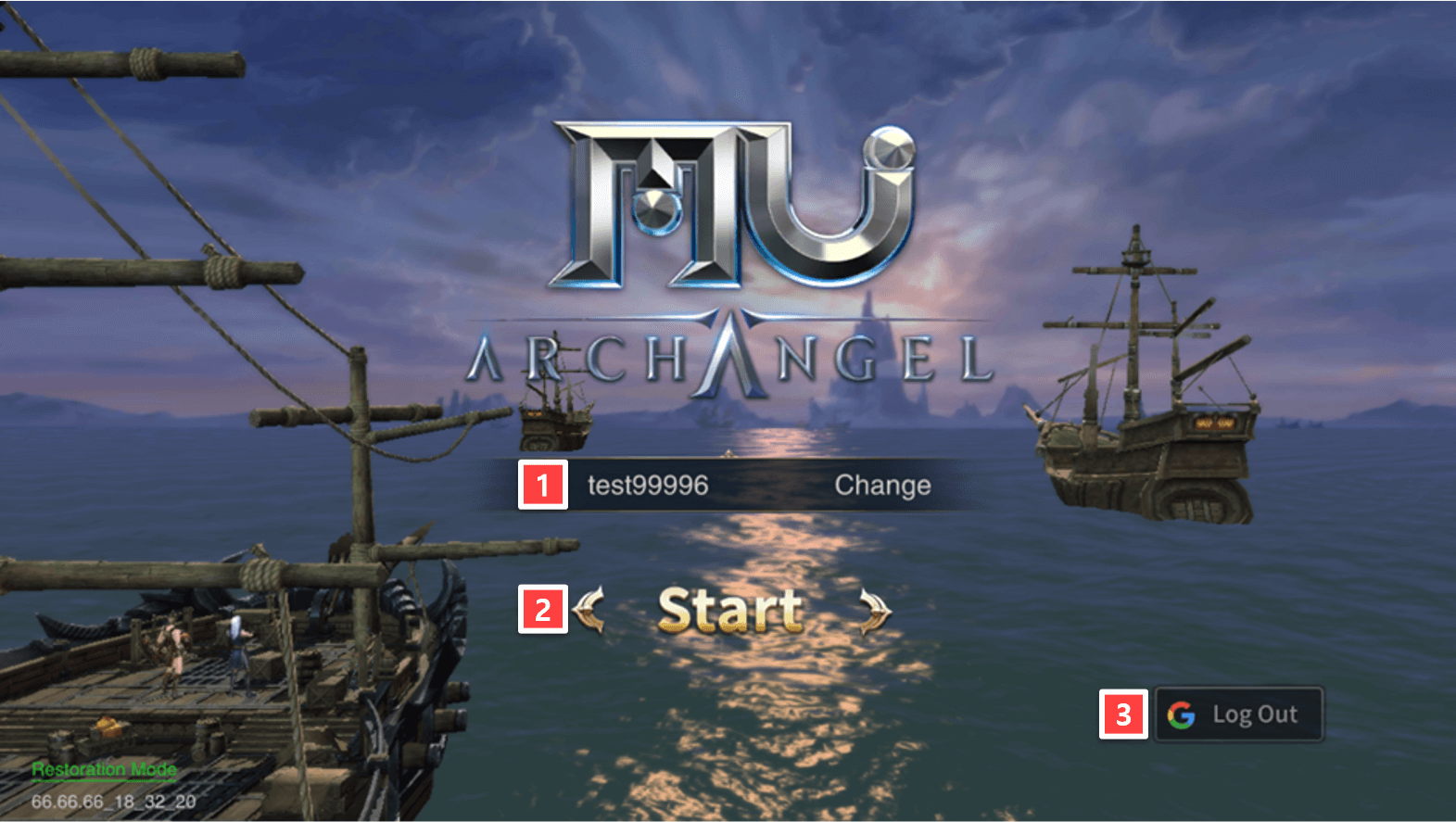
| 1 | Server Name | Display your current server and you can change server by tap here. |
| 2 | Start | Start game |
| 3 | Log Out | Display your current login method and you can log out here. |
Create Character
MU Archangel offers 3 classes: Dark Knight, Dark Wizard (Male/Female) and Elf.
Appearance and stats vary depending on the class.
Choosing a class that fits your gameplay style will help you develop your character.
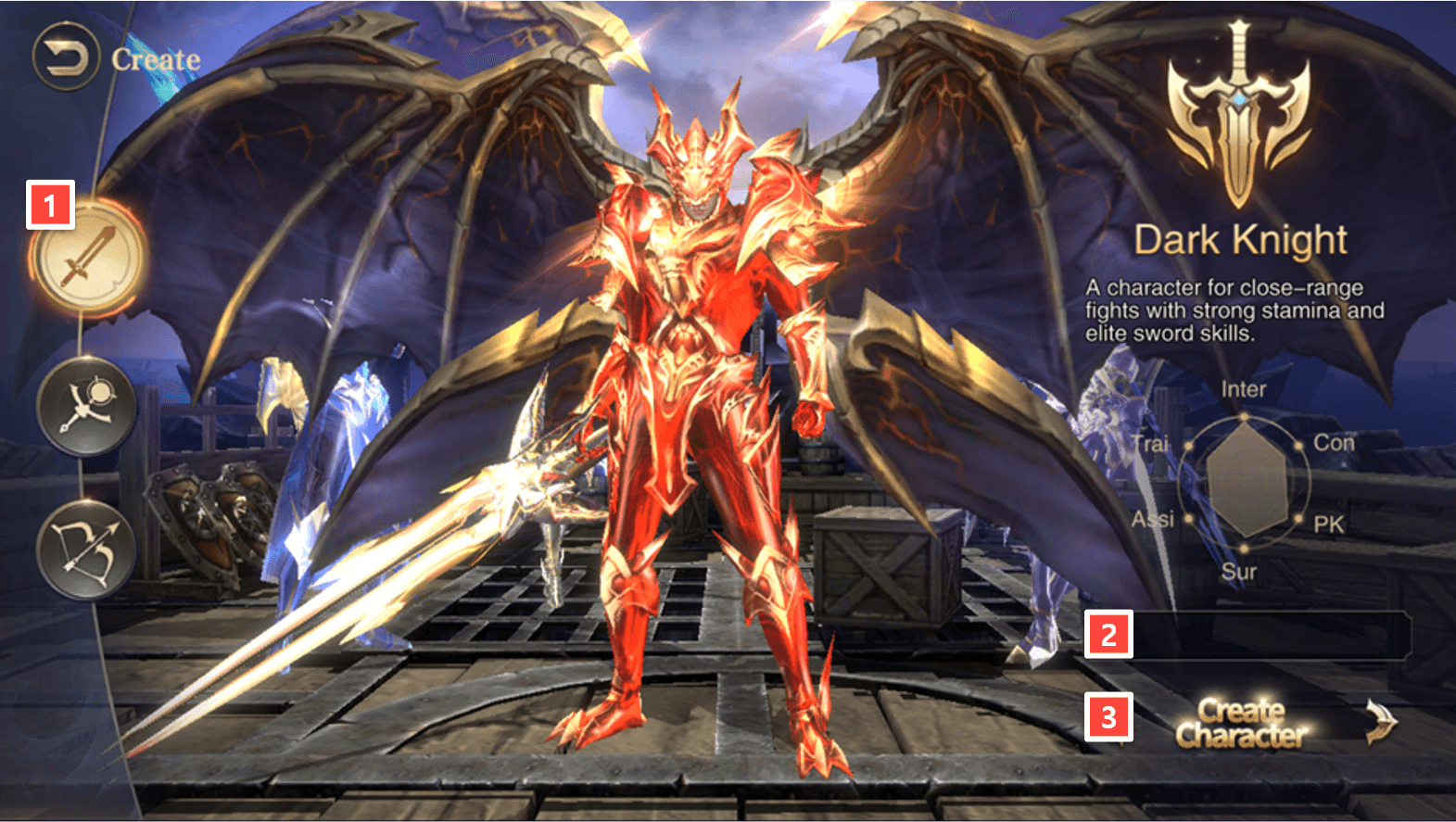
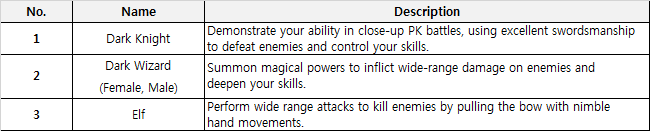
| 1 | Character | You can select one of three characters: Dark Knight, Dark Wizard and Elf. |
| 2 | Character Name | You can choose your character’s name here. |
| 3 | Create Character | Create character and explorer MU Archangel world. |
Main Screen
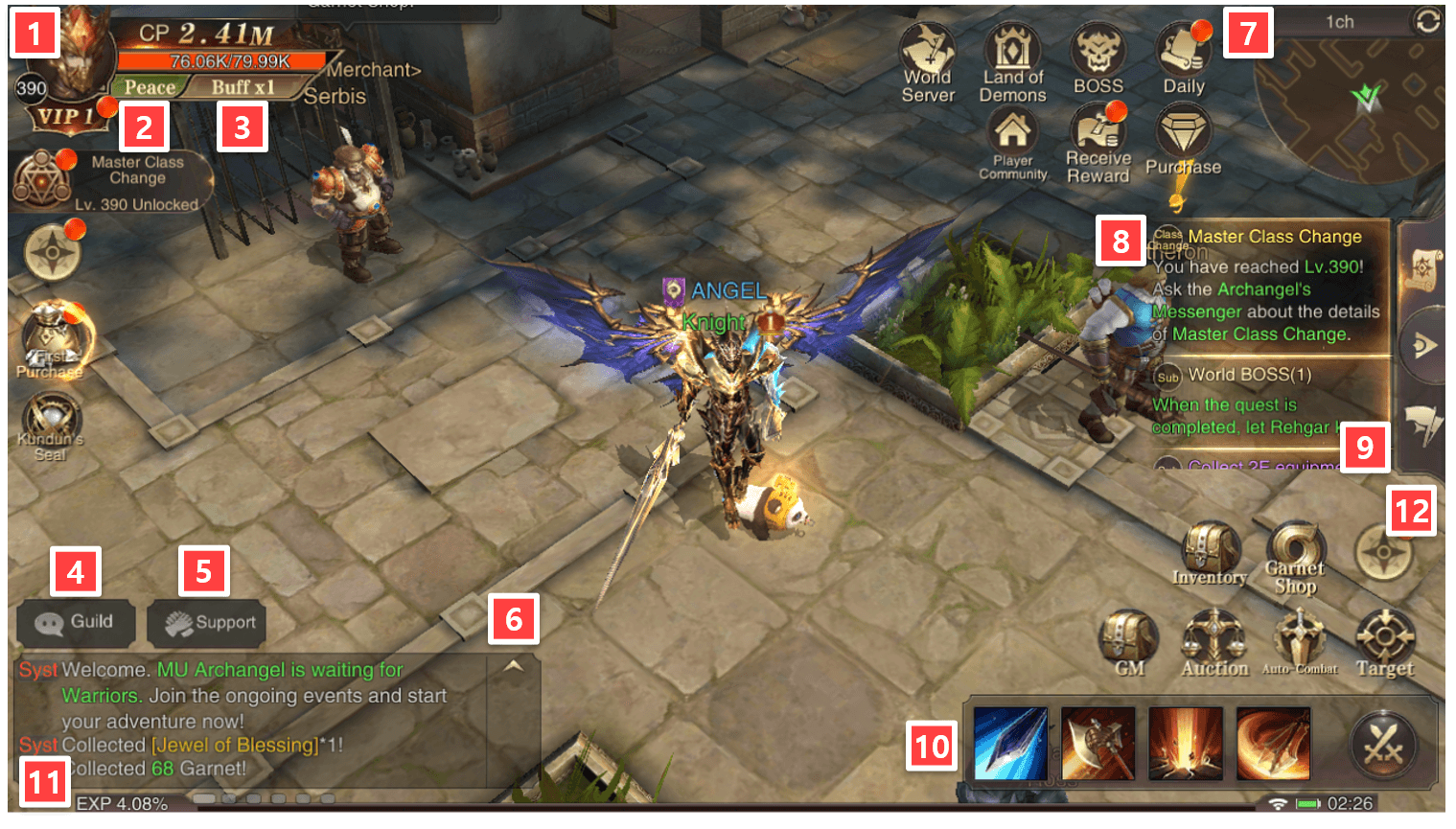
| 1 | Character | You can set and check basic infomation, stats, titles of your character. |
| 2 | Battle Mode | Set you battle mode: Peace (Attack only when hit), War (Attack except Party/Guid) or All (Attack all players) |
| 3 | Buffs | Display your current buff status |
| 4 | Guild | Open guild window chat |
| 5 | Support | Open guild support window |
| 6 | Chat | Expand window chat |
| 7 | Daily Events | You can check contribution points and rewards that can be acquired from events. |
| 8 | Reward | Quest rewards |
| 9 | Quest | Quest details |
| 10 | Skill | Display your skills hotkey |
| 11 | EXP | Display your current EXP |
| 12 | Menu | Expand or Collapse your menu buttons |
Main Menu
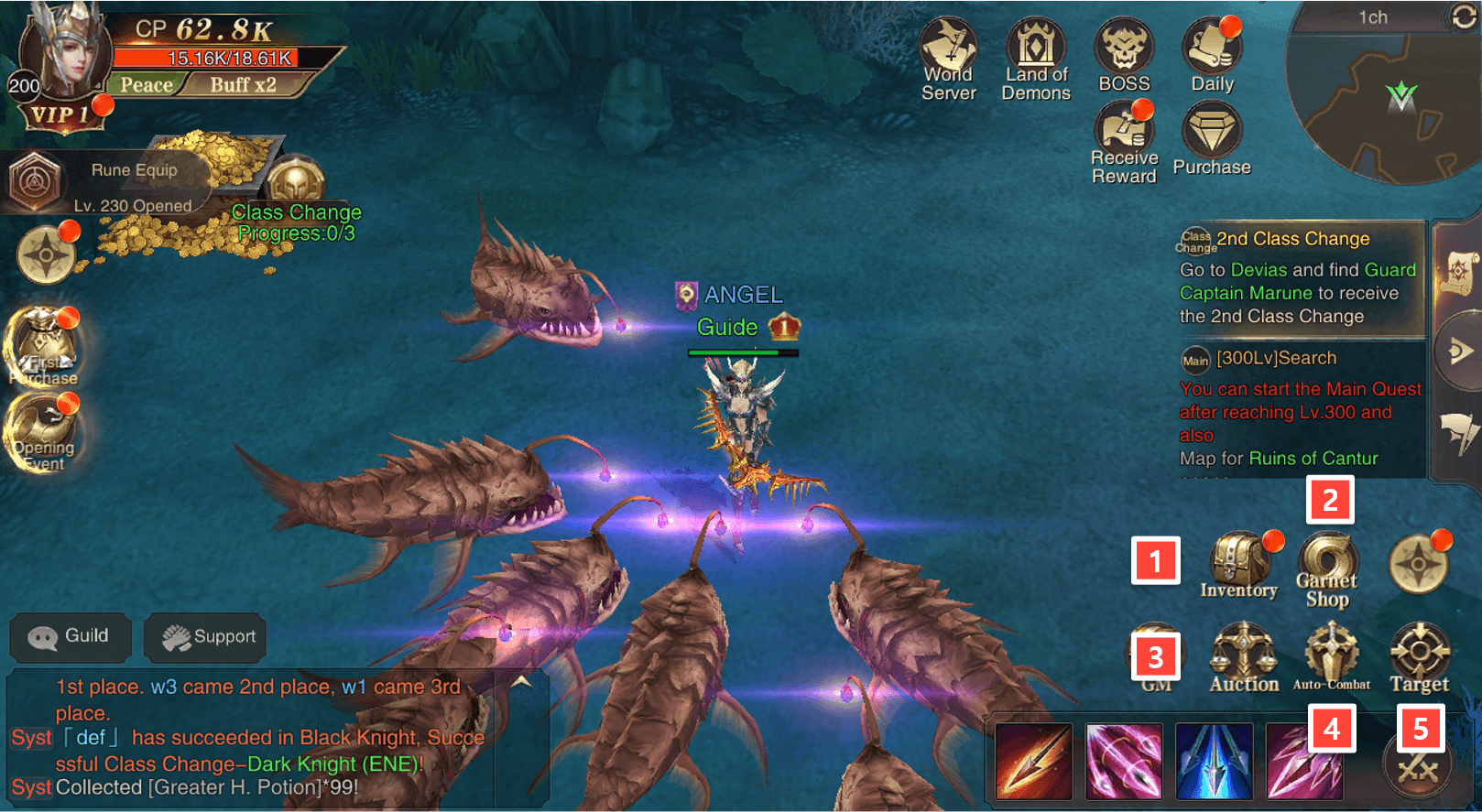
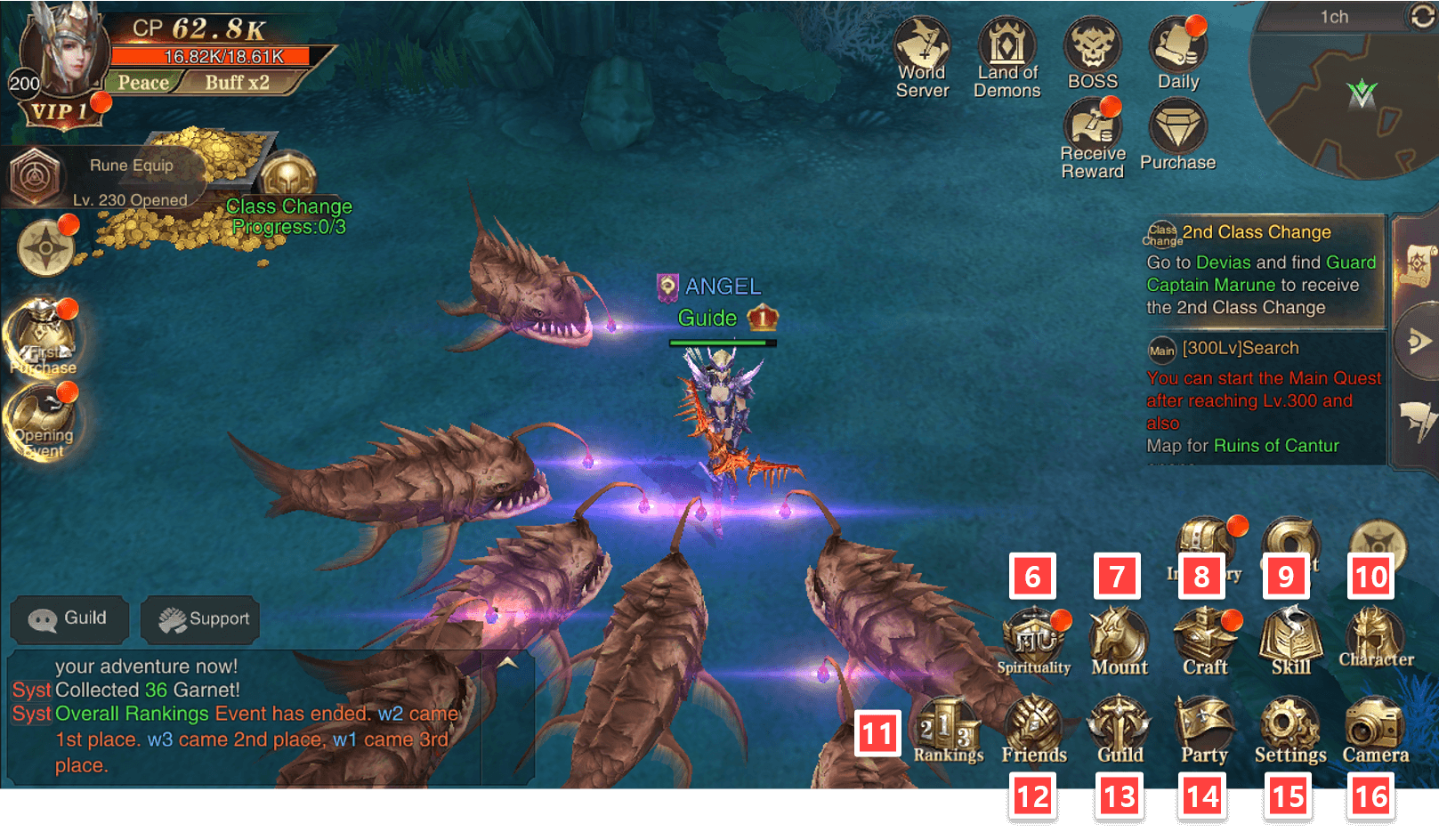
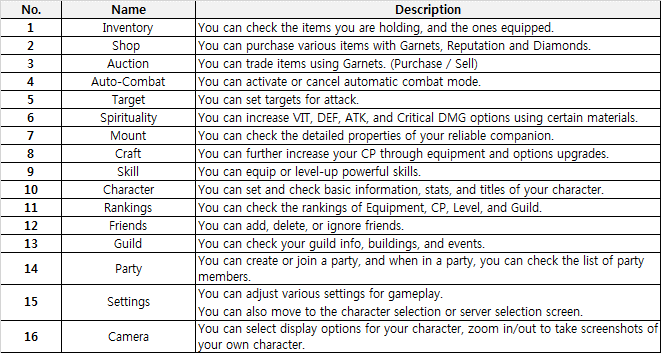
Open time varies for some content UI, depending on character level and quest completion.
Character Information
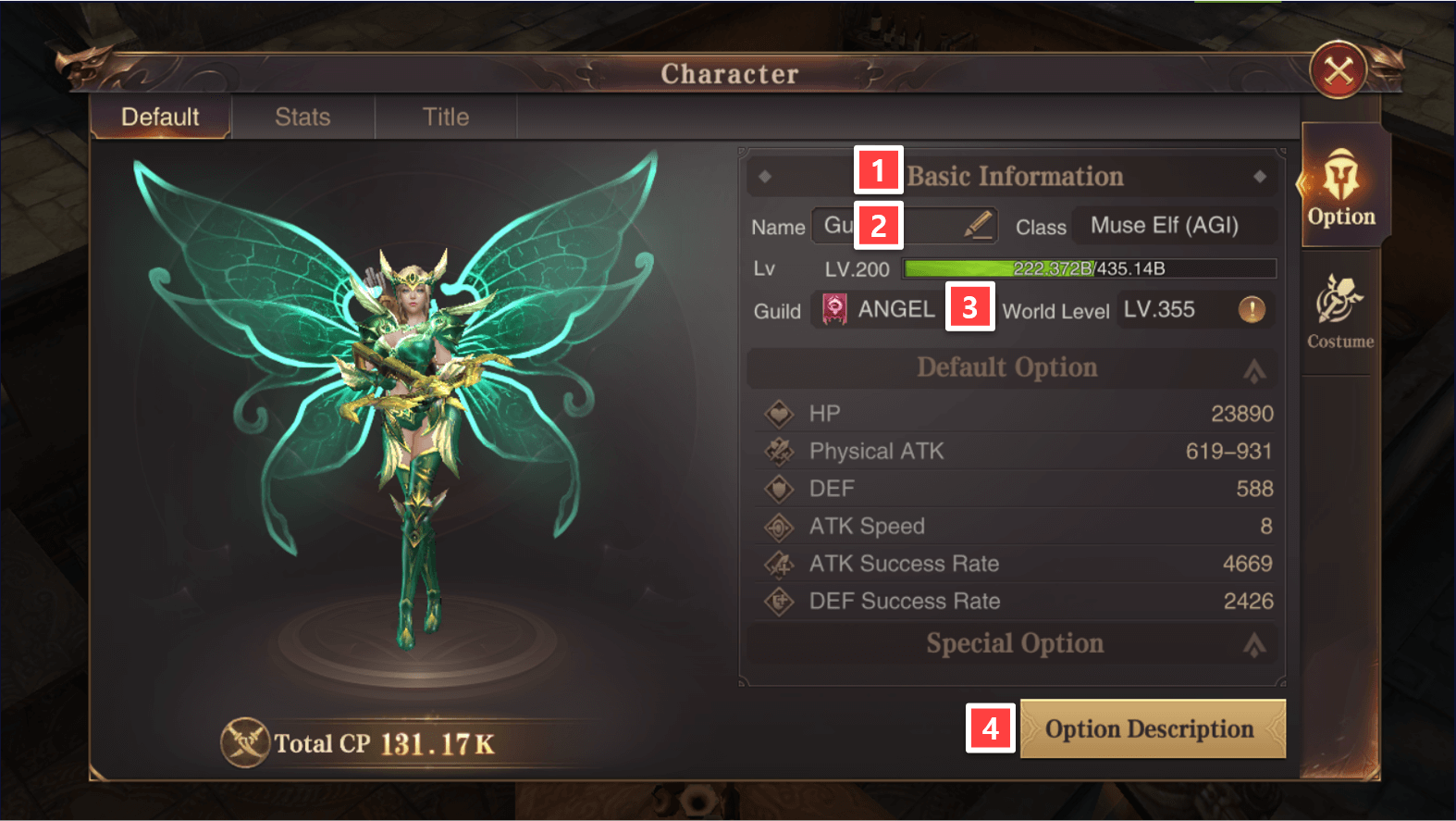
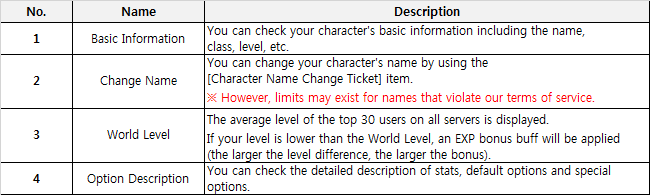
You can check your character’s basic information and option status.
Character Info can be accessed through the Character Portrait at the top left corner or
Character at the bottom right corner.
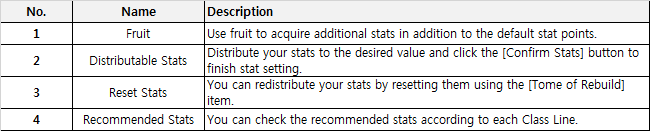
Stats
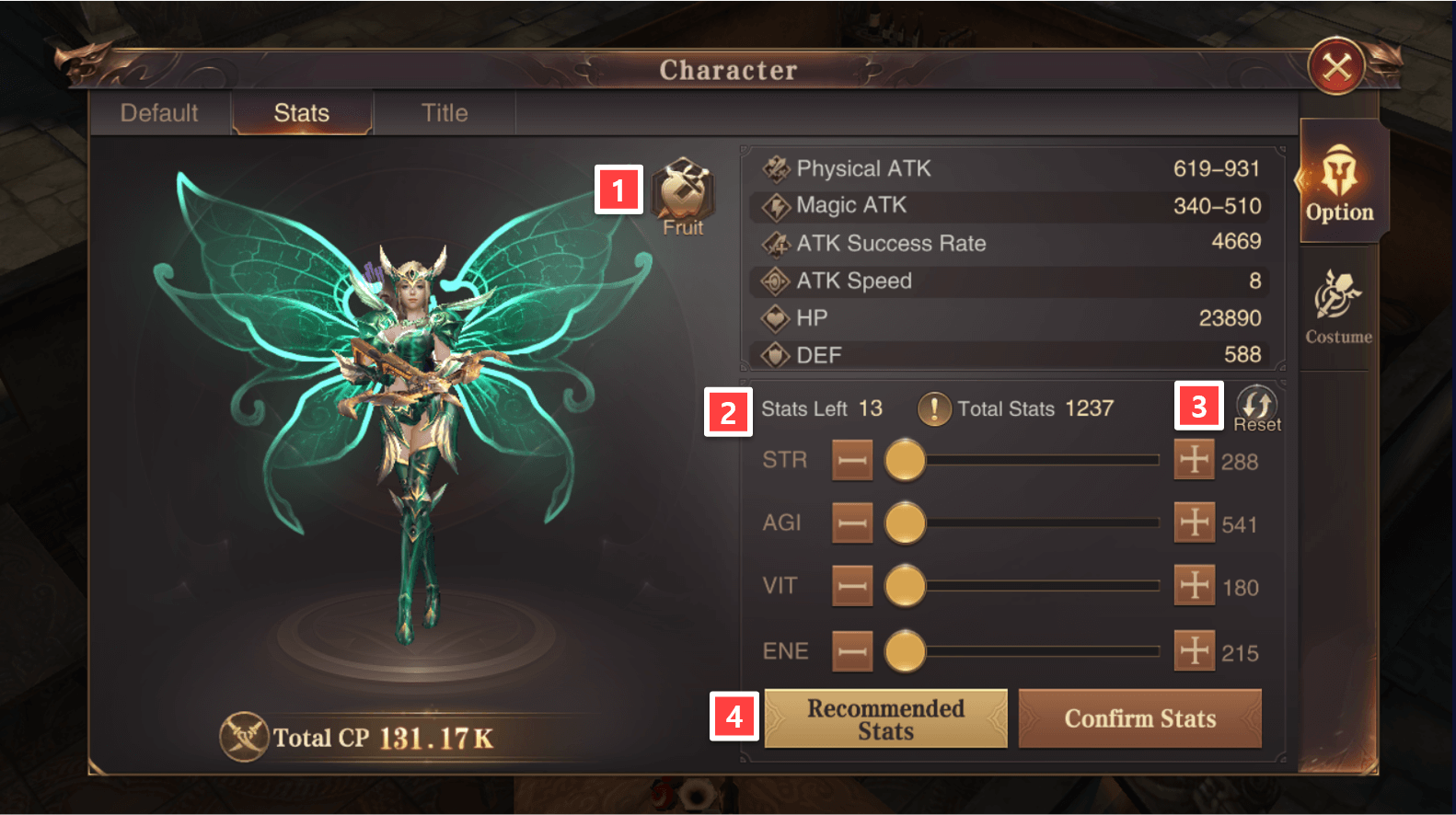
Increase your character’s stats using the stat points earned with every level-up!
Class Change
A lone warrior? A dedicated helper? What kind of warrior do you wish to become?
Become a stronger and more agile warrior through Class Change!
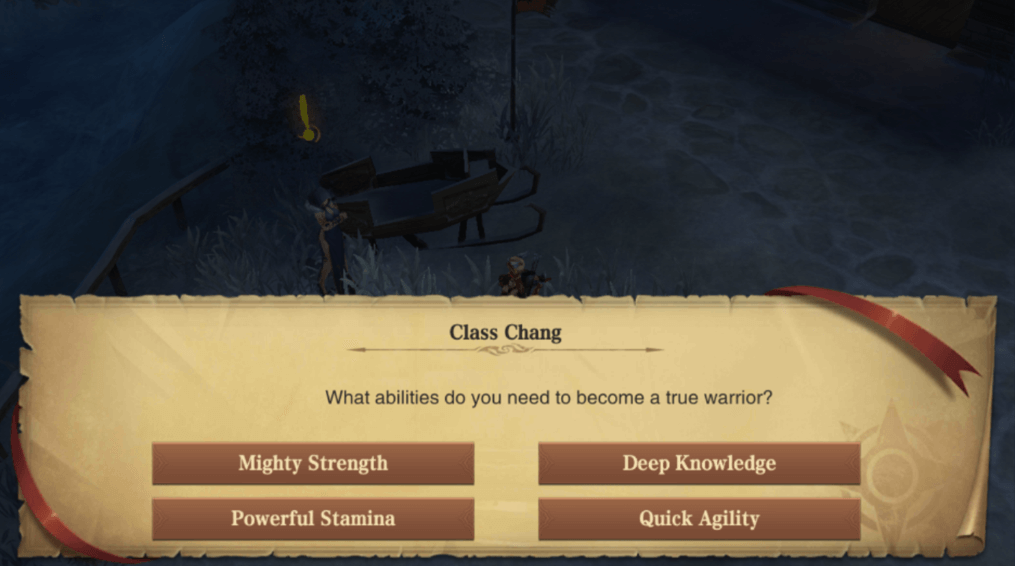
When a character achieves a certain level, Class Change unlocks.
Class Change is completed upon completion of all Class Change quests and selection of Class Line.
Once Class Change is complete, the equipment tab and skill window of the corresponding class are activated.
New equipment and different skills corresponding to each Class Line become available.
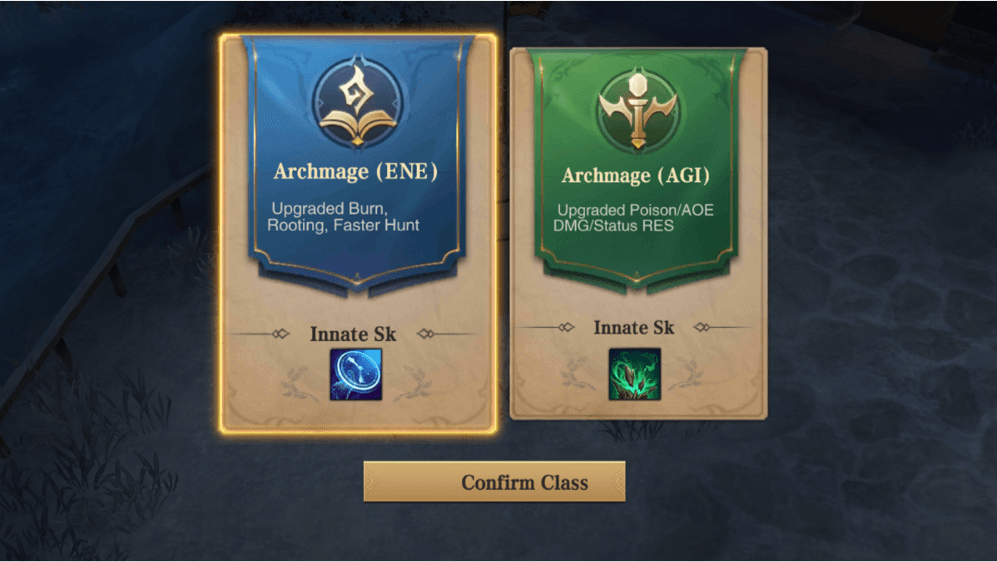
The Class Line selected at the time of Class Change cannot be changed or canceled.
Add hthgaming.com as a preferred source on Google